On-call alerting without the per-seat tax
Send Acked an alert. It pages whoever is on call, escalates when they do not answer, and keeps the timeline through resolution. Add the whole team without changing the bill.
Free for 1 schedule · Starter $9/mo · Team $49/mo · annual plans available
A notification is not an answer
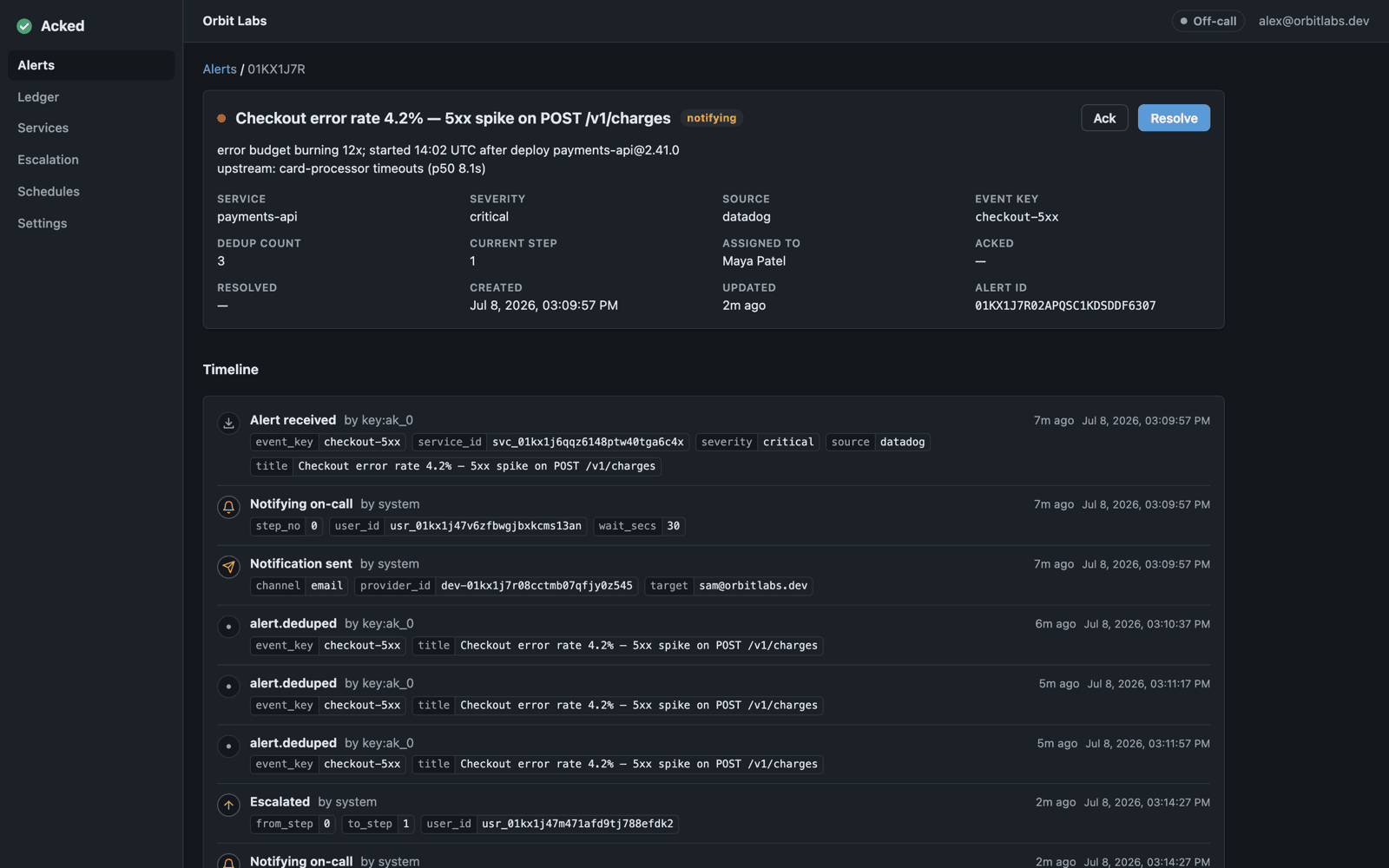
At 2:14 a.m., Datadog reports a spike in checkout errors. Acked takes it from there.
Acked
- 2:14 Alert received from Datadog.
- 2:14 The primary responder is paged.
- 2:19 No acknowledgement. The backup is paged.
- 2:21 The backup acknowledges from the lock screen.
- 2:46 The alert is resolved and added to the timeline.
Your existing tools
- Datadog Detects the error-rate spike.
- Grafana Shows connection pool exhaustion.
- Slack Keeps the responders together.
- GitHub Ships the rollback.
- Status page Carries the customer update.
Acked pages people. It does not replace your monitoring, chat, runbooks, or postmortems.
Keep your monitoring. Replace the pager
Datadog, Grafana, and Alertmanager keep detecting problems. Existing PagerDuty Events API v2 senders can switch by changing only their endpoint and routing key. Acked finds the on-call responder and keeps paging until somebody acknowledges the alert.
Set thresholds
Keep dashboards
Send the alert
- Receives the alert
- Finds who is on call
- Sends push and email
- Pages the next person if needed
- Records the acknowledgement
- Records the resolution
Coordinate
Fix the problem
Update customers
Learn from it
Schedules decide who gets paged. Escalation keeps the alert moving
Ingest
Connect PagerDuty Events API v2, Datadog, Grafana, or Prometheus Alertmanager. Other tools can POST JSON. Repeated signals join the open alert instead of creating duplicates.
Schedules
Build rotations and escalation levels. Add an override when somebody swaps a shift or takes time off.
Delivery
Send notifications by iOS or Android push, email, and webhook. Team adds voice calls. Failed deliveries retry. Unanswered alerts advance to the next step.
Escalation
Choose who gets paged and how long they have to answer. If the chain ends without an acknowledgement, it starts again.
Audit trail
See when the alert arrived, who was paged, who acknowledged, every escalation, and when it was resolved.
Four plans. No seat math
Free
Try Acked with one schedule
- 1 schedule
- 14-day history
- All standard integrations
- Unlimited users and alerts
Starter
For a few on-call rotations
- 3 schedules
- 90-day history
- Everything in Free
- Unlimited users and alerts
Team
Unlimited schedules, plus voice and support
- Unlimited schedules
- 1-year history
- Voice paging*
- Email support
- Everything in Starter
Business
Contracts, purchasing, and custom retention
- Everything in Team
- Custom retention
- Procurement and contracts
- Talk to us
* Voice calls are billed separately based on destination and duration. Users and alerts are never metered.
Common questions
How is voice billed?
Voice is available on Team and Business. Calls are billed separately because the cost varies by destination and duration.
Will the price go up when I add people?
The same. Every tier includes unlimited users, so adding somebody to the rotation never changes the bill.
Can we run it beside our current pager?
Yes. Recreate one rotation and escalation path, connect an alert source, and send the same alerts to both systems while you compare them.
Do we have to replace our monitoring?
No. Keep your monitoring, dashboards, chat, runbooks, and incident process. Your monitoring sends alerts to Acked. Acked handles the schedule, paging, escalation, and response timeline.